.jpg)

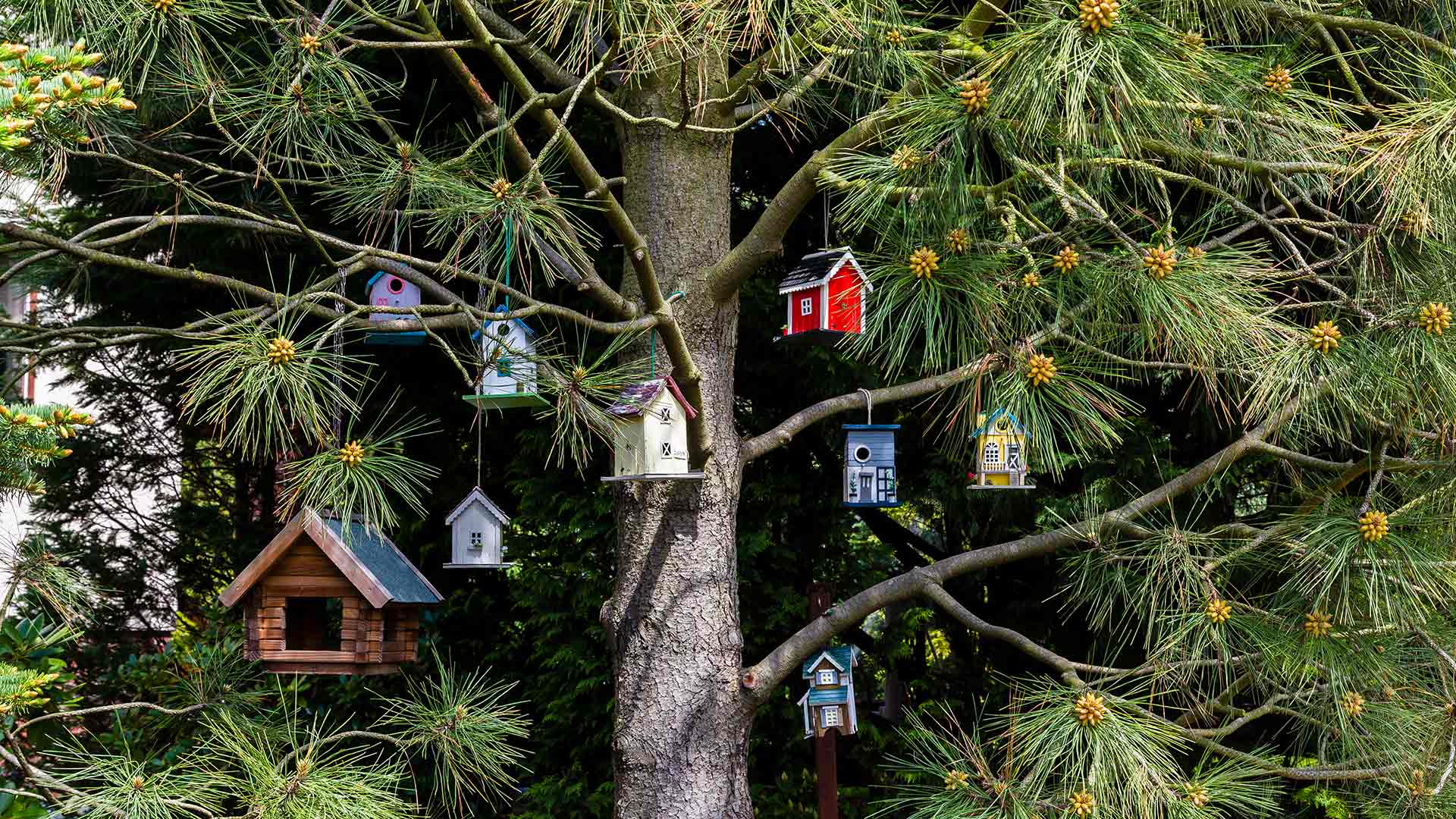
bing必应随机壁纸
本文最后更新于 2025-09-28,文章内容可能已经过时。
<?php
/**
 * 随机必应壁纸获取工具(使用必应原生API)
 */

// 处理请求参数
$format = isset($_GET['format']) ? trim($_GET['format']) : ''; // 响应格式:json或空(默认重定向)
$size = isset($_GET['size']) ? trim($_GET['size']) : 'default'; // 图片尺寸
$redirect = isset($_GET['redirect']) ? filter_var($_GET['redirect'], FILTER_VALIDATE_BOOLEAN) : false; // 是否跳转到必应原始页面
$direct = isset($_GET['direct']) ? filter_var($_GET['direct'], FILTER_VALIDATE_BOOLEAN) : false; // 是否直接跳转到原图URL
$forceToday = isset($_GET['today']) ? filter_var($_GET['today'], FILTER_VALIDATE_BOOLEAN) : false; // 强制显示今日壁纸

// 随机天数(0-7天前的壁纸)- 默认启用随机
$randomDay = $forceToday ? 0 : rand(0, 7);

// 尺寸映射表(将自定义尺寸映射到必应支持的参数)
$sizeMap = [
    'default'        => '1920x1080',
    'mini'           => '400x240',
    'small'          => '640x480',
    'middle'         => '1366x768',
    'large'          => 'UHD',
    'mobile-mini'    => '240x400',
    'mobile-small'   => '480x800',
    'mobile-middle'  => '720x1280',
    'mobile-default' => '1080x1920'
];
$resolution = isset($sizeMap[$size]) ? $sizeMap[$size] : $sizeMap['default'];

// 构建必应API请求
$bingApi = "https://www.bing.com/HPImageArchive.aspx";
$params = [
    'format' => 'js',      // 返回JSON格式
    'idx'    => $randomDay, // 使用随机天数参数
    'n'      => 1,         // 获取1张壁纸
    'mkt'    => 'zh-CN'    // 市场区域
];
$apiUrl = $bingApi . '?' . http_build_query($params);

// 发送请求到必应API
$ch = curl_init();
curl_setopt($ch, CURLOPT_URL, $apiUrl);
curl_setopt($ch, CURLOPT_RETURNTRANSFER, true);
curl_setopt($ch, CURLOPT_TIMEOUT, 10);
curl_setopt($ch, CURLOPT_SSL_VERIFYPEER, true);
curl_setopt($ch, CURLOPT_USERAGENT, 'Mozilla/5.0 (Windows NT 10.0; Win64; x64) AppleWebKit/537.36 (KHTML, like Gecko) Chrome/114.0.0.0 Safari/537.36');

$response = curl_exec($ch);
$curlError = curl_error($ch);
curl_close($ch);

// 处理请求错误
if ($curlError) {
    handleError("API请求失败:" . $curlError);
}

// 解析JSON响应
$responseData = json_decode($response, true);
if (json_last_error() !== JSON_ERROR_NONE || !isset($responseData['images'][0])) {
    handleError("API响应解析失败或格式不正确");
}

// 提取壁纸信息
$imageInfo = $responseData['images'][0];
$wallpaper = [
    'copyright'   => $imageInfo['copyright'],
    'copyrightlink' => $imageInfo['copyrightlink'],
    'title'       => $imageInfo['title'],
    'time'        => $imageInfo['startdate'],
    'urlbase'     => 'https://www.bing.com' . $imageInfo['urlbase'],
    'url'         => 'https://www.bing.com' . str_replace('1920x1080', $resolution, $imageInfo['url']),
    // 高清原图URL(UHD分辨率)
    'hdurl'       => 'https://www.bing.com' . str_replace('1920x1080', 'UHD', $imageInfo['url']),
    '_id'         => md5($imageInfo['urlbase'])
];

// 直接跳转到原图URL
if ($direct) {
    header("Location: {$wallpaper['hdurl']}", true, 302);
    exit;
}

// 随机跳转到必应原始页面的功能
if ($redirect) {
    $searchUrl = !empty($wallpaper['copyrightlink'])
        ? $wallpaper['copyrightlink']
        : 'https://cn.bing.com/search?q=' . urlencode($wallpaper['title'] . ' 必应壁纸');

    header("Location: $searchUrl", true, 302);
    exit;
}

// 根据format参数处理响应
if ($format === 'json') {
    // 返回JSON格式
    header('Content-Type: application/json; charset=utf-8');
    echo json_encode([
        'errno' => 0,
        'errmsg' => 'success',
        'data' => $wallpaper
    ], JSON_UNESCAPED_UNICODE);
    exit;
} else {
    // 默认重定向到图片地址,或直接显示图片页面
    if (basename($_SERVER['PHP_SELF']) === basename(__FILE__)) {
        // 直接访问时显示带信息的图片页面
        header('Content-Type: text/html; charset=utf-8');
        ?>
        <!DOCTYPE html>
        <html>
        <head>
            <meta charset="UTF-8">
            <title>随机必应壁纸 - <?php echo htmlspecialchars($wallpaper['title']); ?></title>
            <style>
                * { margin: 0; padding: 0; box-sizing: border-box; }
                body {
                    min-height: 100vh;
                    background: #f5f5f5;
                    font-family: -apple-system, BlinkMacSystemFont, "Segoe UI", Roboto, sans-serif;
                }
                .container {
                    max-width: 100%;
                    max-height: 100vh;
                    overflow: hidden;
                    position: relative;
                }
                .wallpaper {
                    width: 100%;
                    height: 100vh;
                    object-fit: cover;
                }
                .info-bar {
                    position: absolute;
                    bottom: 0;
                    left: 0;
                    right: 0;
                    padding: 15px 20px;
                    background: linear-gradient(transparent, rgba(0,0,0,0.7));
                    color: white;
                }
                .title { font-size: 1.2rem; margin-bottom: 5px; }
                .copyright { font-size: 0.9rem; opacity: 0.9; }
                .btn-group {
                    position: absolute;
                    top: 20px;
                    right: 20px;
                    display: flex;
                    gap: 10px;
                }
                .action-btn {
                    padding: 8px 15px;
                    background: rgba(0,0,0,0.5);
                    color: white;
                    border: none;
                    border-radius: 4px;
                    cursor: pointer;
                    transition: background 0.3s;
                }
                .action-btn:hover { background: rgba(0,0,0,0.7); }
                .date-info {
                    position: absolute;
                    top: 20px;
                    left: 20px;
                    background: rgba(0,0,0,0.5);
                    color: white;
                    padding: 5px 10px;
                    border-radius: 4px;
                    font-size: 0.9rem;
                }
            </style>
        </head>
        <body>
            <div class="container">
                <img src="<?php echo htmlspecialchars($wallpaper['url']); ?>"
                     alt="<?php echo htmlspecialchars($wallpaper['title']); ?>"
                     class="wallpaper">
                <div class="date-info">
                    <?php echo date('Y-m-d', strtotime($wallpaper['time'])); ?>
                    <?php if (!$forceToday): ?>
                    <span style="margin-left: 10px;">(随机)</span>
                    <?php endif; ?>
                </div>
                <div class="info-bar">
                    <div class="title"><?php echo htmlspecialchars($wallpaper['title']); ?></div>
                    <div class="copyright"><?php echo htmlspecialchars($wallpaper['copyright']); ?></div>
                </div>
                <div class="btn-group">
                    <!--<button class="action-btn" onclick="window.location.reload()">换一张</button>-->
                    <button class="action-btn" onclick="window.location.href='?'">换一张</button>
                    <button class="action-btn" onclick="window.location.href='?redirect=true'">查看详情</button>
                    <button class="action-btn" onclick="window.location.href='?direct=true'">下载原图</button>
                    <button class="action-btn" onclick="window.location.href='?today=true'">今日壁纸</button>
                </div>
            </div>
        </body>
        </html>
        <?php
    } else {
        // 被其他文件包含时,返回图片信息数组
        return $wallpaper;
    }
}

/**
 * 错误处理函数
 * @param string $message 错误信息
 */
function handleError($message) {
    // 如果请求需要JSON格式,返回JSON错误
    if (isset($_GET['format']) && $_GET['format'] === 'json') {
        header('Content-Type: application/json; charset=utf-8');
        echo json_encode([
            'errno' => 1,
            'errmsg' => $message,
            'data' => null
        ], JSON_UNESCAPED_UNICODE);
    } else {
        // 否则显示HTML错误页面
        header('Content-Type: text/html; charset=utf-8');
        echo <<<HTML
        <!DOCTYPE html>
        <html>
        <head>
            <meta charset="UTF-8">
            <title>获取失败</title>
            <style>
                body {
                    height: 100vh;
                    display: flex;
                    flex-direction: column;
                    justify-content: center;
                    align-items: center;
                    background: #f5f5f5;
                    font-family: sans-serif;
                }
                .error-box {
                    padding: 30px;
                    background: white;
                    border-radius: 8px;
                    box-shadow: 0 2px 10px rgba(0,0,0,0.1);
                    text-align: center;
                }
                .error-message {
                    color: #dc3545;
                    margin: 20px 0;
                    font-size: 1.1rem;
                }
                .retry-btn {
                    padding: 10px 20px;
                    background: #0d6efd;
                    color: white;
                    border: none;
                    border-radius: 4px;
                    cursor: pointer;
                    margin-top: 15px;
                }
            </style>
        </head>
        <body>
            <div class="error-box">
                <h2>获取壁纸失败</h2>
                <div class="error-message">$message</div>
                <button class="retry-btn" onclick="window.location.reload()">重试</button>
            </div>
        </body>
        </html>
        HTML;
    }
    exit;
}
?>
必应随机壁纸 API 工具
一个基于必应原生 API 的随机壁纸获取工具,支持自动随机获取近7天的必应壁纸,并提供多种尺寸和跳转功能。
功能特点
- 自动随机:每次访问或刷新页面自动随机获取近7天的必应壁纸
- 多尺寸支持:提供多种预设尺寸(从手机到超高清)
- 灵活跳转:支持直接跳转到原图或必应详情页
- 响应式展示:网页展示适配各种设备屏幕
- JSON 接口:支持返回 JSON 格式数据,便于二次开发
安装使用
- 将
bing-wallpaper.php文件上传到你的 PHP 服务器 - 直接访问该文件即可使用(如:
https://你的域名/bing-wallpaper.php)
参数说明
| 参数名 | 可选值 | 说明 |
|---|---|---|
size |
default(1920x1080)、mini(400x240)、small(640x480)、middle(1366x768)、large(UHD)、mobile-mini(240x400)、mobile-small(480x800)、mobile-middle(720x1280)、mobile-default(1080x1920) |
指定壁纸尺寸 |
format |
json |
返回 JSON 格式数据 |
direct |
true |
直接跳转到高清原图 |
redirect |
true |
跳转到必应壁纸详情页 |
today |
true |
强制显示今日壁纸(不随机) |
使用示例
-
随机获取默认尺寸壁纸:
https://你的域名/bing-wallpaper.php -
获取手机尺寸壁纸:
https://你的域名/bing-wallpaper.php?size=mobile-default -
直接下载超高清原图:
https://你的域名/bing-wallpaper.php?size=large&direct=true -
获取 JSON 格式数据:
https://你的域名/bing-wallpaper.php?format=json -
查看今日壁纸:
https://你的域名/bing-wallpaper.php?today=true
JSON 响应格式
当使用 format=json 参数时,返回数据格式如下:
{
  "errno": 0,
  "errmsg": "success",
  "data": {
    "copyright": "描述信息",
    "copyrightlink": "必应详情页链接",
    "title": "壁纸标题",
    "time": "日期",
    "urlbase": "基础链接",
    "url": "当前尺寸壁纸链接",
    "hdurl": "超高清壁纸链接",
    "_id": "唯一标识"
  }
}
注意事项
- 本工具使用必应非官方 API,可能随必应网站更新而失效
- 建议在生产环境中添加缓存机制,减少 API 请求频率
- 壁纸版权归必应及原作者所有,使用时请遵守相关版权规定
许可证

评论
匿名评论
隐私政策
你无需删除空行,直接评论以获取最佳展示效果